QR Stickers and Pet Cards for Care Around Your Home
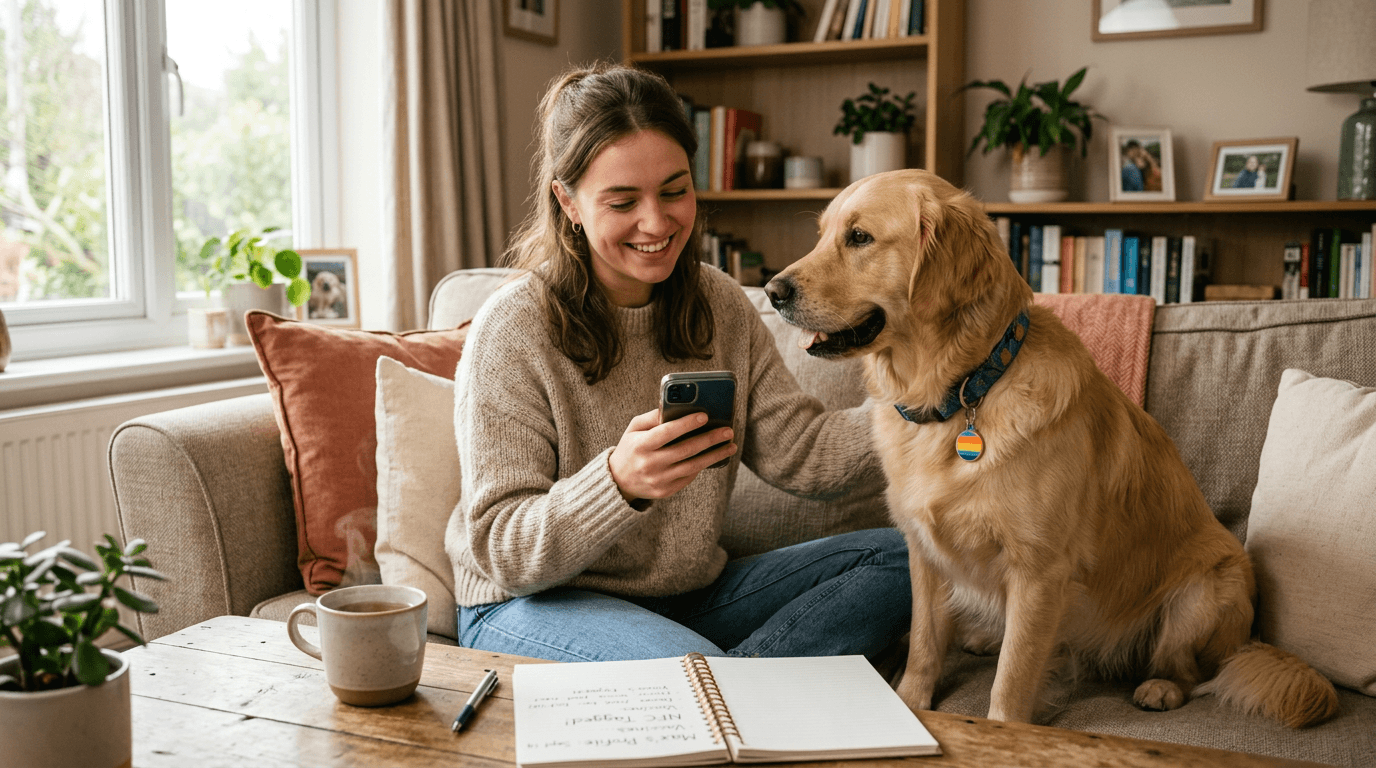
Your pet's NFC tag lives on their collar, and that's exactly where it should be - it's the fastest way for a stranger to reach you if your pet goes missing. But what about all the other moments when someone needs quick access to your pet's info and your pet isn't standing right there?
That's where printable QR stickers and pet cards come in. FoundYa lets you generate QR codes that link directly to specific parts of your pet's profile - a medication schedule, feeding instructions, vet details, or the full profile itself. Stick them where they're useful around the house, or hand a card to your pet sitter, dog walker, or boarding kennel. Anyone who scans gets exactly the info they need.
How it works
Every FoundYa account comes with a unique scan code tied to your pet's profile. From the app, you can generate QR stickers that deeplink to specific activities - not just a generic homepage, but the exact screen someone needs.
Each QR code opens a web page (or the FoundYa app if the person has it installed), so the scanner doesn't need to download anything. Same zero-friction approach as our NFC tags, just in sticker form.
You can generate stickers for:
- Full pet profile - everything a carer or sitter needs at a glance
- Medication schedule - dosages, timing, and special instructions
- Feeding routine - what food, how much, how often
- Vet contact details - clinic name, number, and address
- Emergency info - allergies, chronic conditions, and who to call
Download and print at home, or order ready-made vinyl sticker packs and pet cards from us - custom-printed and shipped to your door.
Where to stick them
The whole point is putting pet info where it's needed, when it's needed, without anyone having to open an app or dig through a profile. Here are the spots that make the most difference.
Medicine cabinet or pill jar
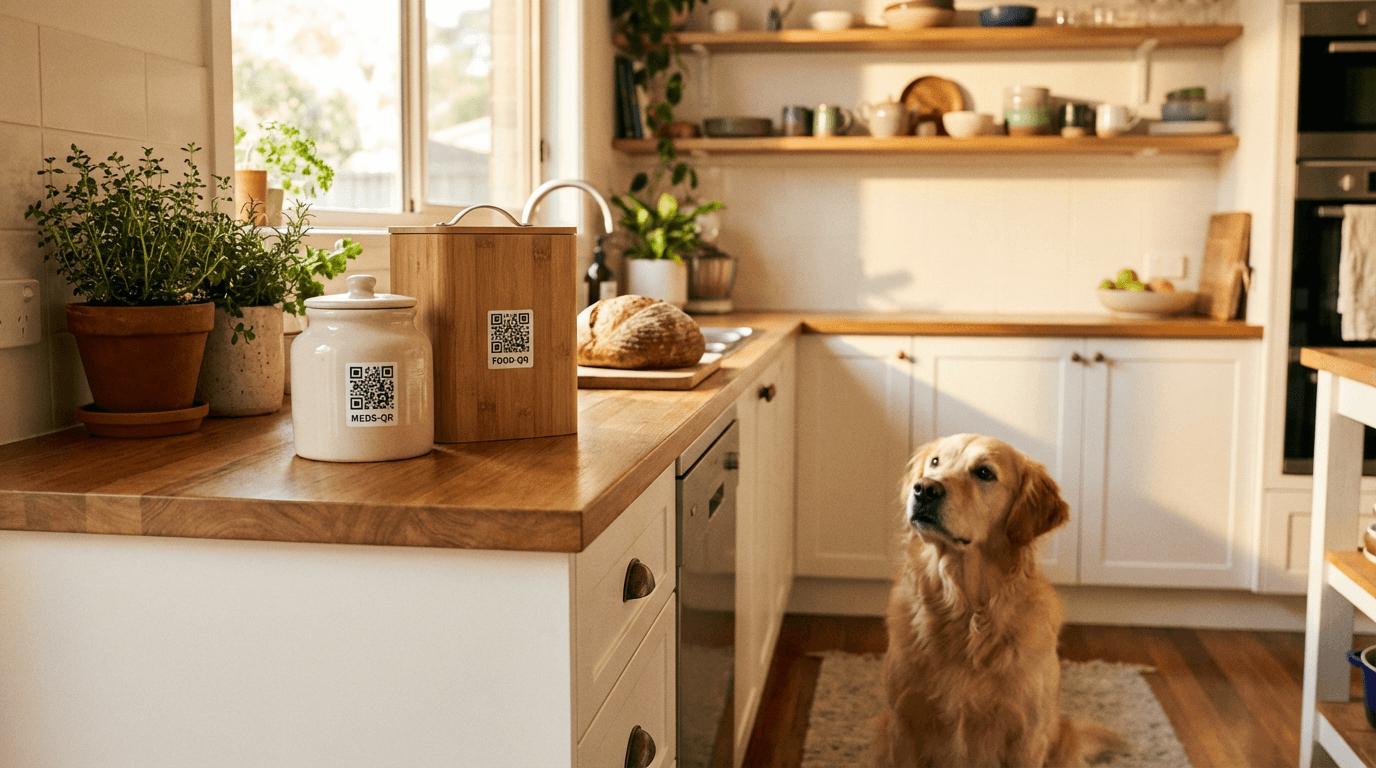
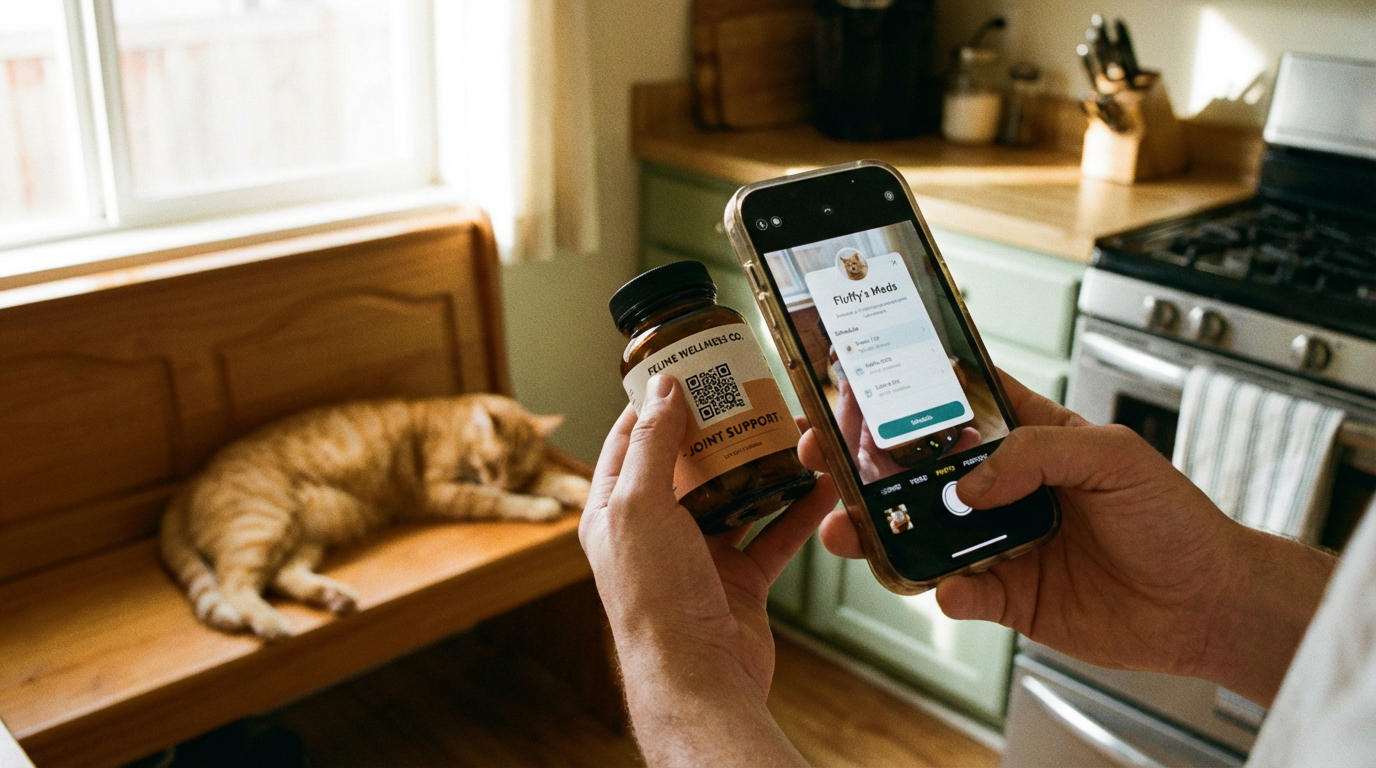
If your pet takes daily medication, stick a QR code on the jar or the cabinet shelf. The sticker links directly to the medication schedule - dose, frequency, what it's for, and any warnings.
This is a lifesaver when someone else is covering meds. Your pet sitter doesn't need to remember "half a tablet, twice a day, with food, but not the chicken food" - they scan the code and it's all there.
If your pet's medication changes, the sticker still works - it links to the live schedule in FoundYa, so you update the info once and every sticker that points to it stays current.
Food container or feeding station
Stick a QR code on the food bin, the treat jar, or near the bowls. Link it to the feeding routine: what food, how much, how often, and any quirks worth knowing (elevated bowl, warm water mixed in, absolutely no table scraps no matter how convincing the eyes are).
Especially useful if you have multiple pets with different diets. A quick scan removes any guesswork.
The fridge
The fridge is still the universal household noticeboard. A QR sticker here can link to the full pet profile - a one-stop overview for anyone in the house. Handy for new housemates, visiting family, or that friend who agreed to check in on the cat while you're away for the weekend.
Crate or carrier
If your pet travels in a crate - to the vet, to boarding, or in an emergency - a QR sticker on the crate gives anyone handling it instant access to your pet's profile. If the crate ends up at a vet clinic or boarding facility without you, the staff can scan and get the full picture: medical history, allergies, your contact details, and your vet's number.
By the front door or leash hook
A sticker near the door with a link to walking notes or behavioural info is useful for dog walkers and sitters. Does the dog pull on the lead? Reactive to other dogs? Needs to avoid the park on the corner because of an aggressive off-leash regular? One scan and the walker knows what they're in for.
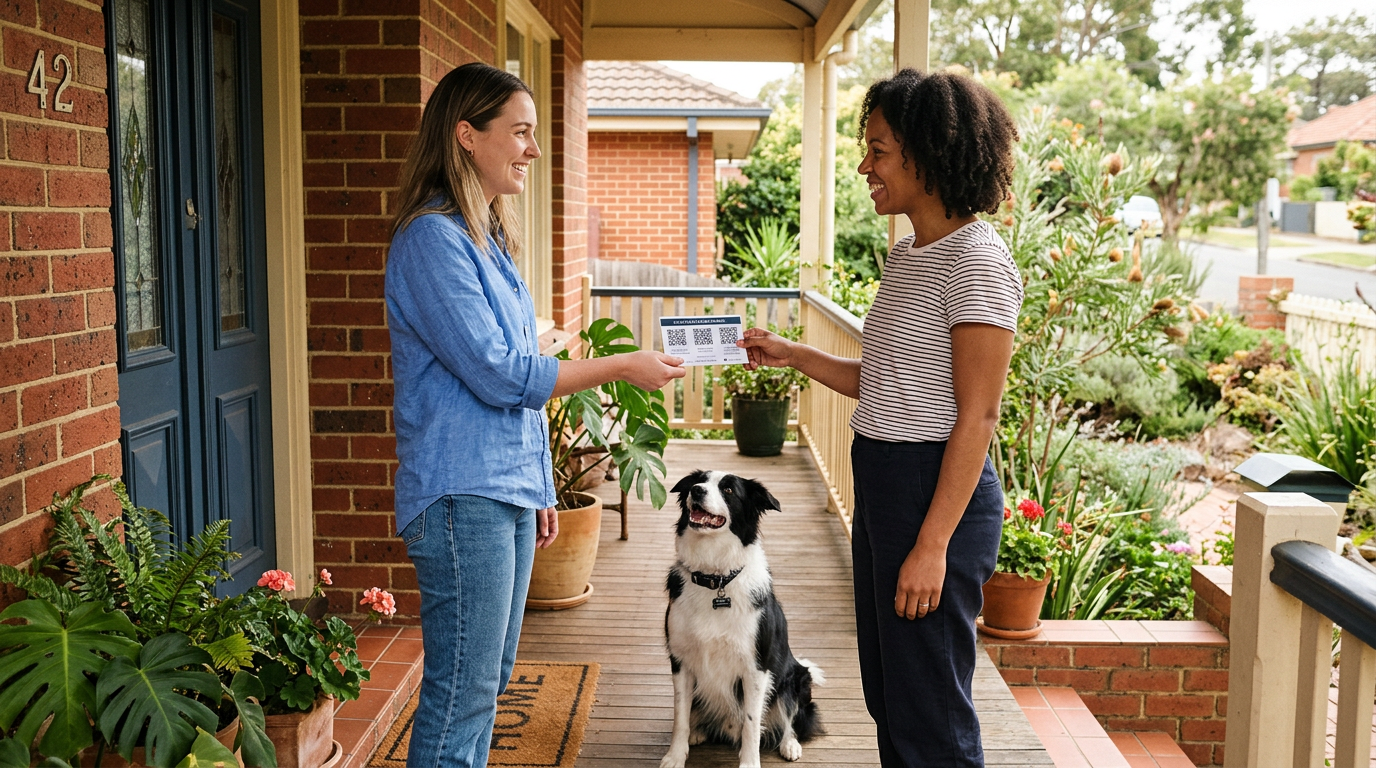
Pet cards: a business card for your pet
Not everything needs to be a sticker. When you're handing info to another person - a pet sitter, a dog walker, your parents, the boarding kennel - a card makes a lot more sense.
FoundYa lets you generate pet cards in a standard business-card format. Your pet's name, photo, and a QR code that links straight to their profile or a specific activity. Same customisation options as the stickers - your choice of colours, dot styles, and a centre icon or photo. It's a proper little card that someone can keep in their wallet, stick on their fridge, or tuck into a pet-sitting folder.
When to hand out a card
- Pet sitter handoff - give them a card that links to the full profile. One scan and they've got feeding info, medication schedules, vet details, and your contact info. Beats a handwritten note that ends up in the washing machine.
- Dog walker - a card linking to walking notes and behavioural info. Reactivity warnings, favourite routes, recall reliability - everything the walker needs before they clip the leash on.
- Boarding or daycare drop-off - hand the staff a card so they can pull up your pet's medical history, allergies, and emergency contacts without you standing at the counter reciting it all.
- Vet visits - a card linking to your pet's full medical history saves time at check-in, especially at a new clinic or an emergency vet who hasn't seen your pet before.
- Trusted neighbours - the neighbour who keeps a spare key and would be the first to notice if your dog escaped. Give them a card so they know what to do and who to call.
Download or order
You can download a print-ready PDF and cut the cards yourself at home - standard business-card size, works on any printer and card stock. Or order a pack of professionally printed cards from FoundYa, shipped to your door on proper card stock with your custom QR design.
You control what each QR code links to. Sitters and carers only see the information you've chosen to share - the same privacy controls that apply to your pet's NFC tag apply here too.
If you've already set up your household with carers and permissions, the QR codes on your cards respect those access levels. A carer who scans gets the carer view. A stranger who scans gets the public view. No extra configuration needed.
Make them yours
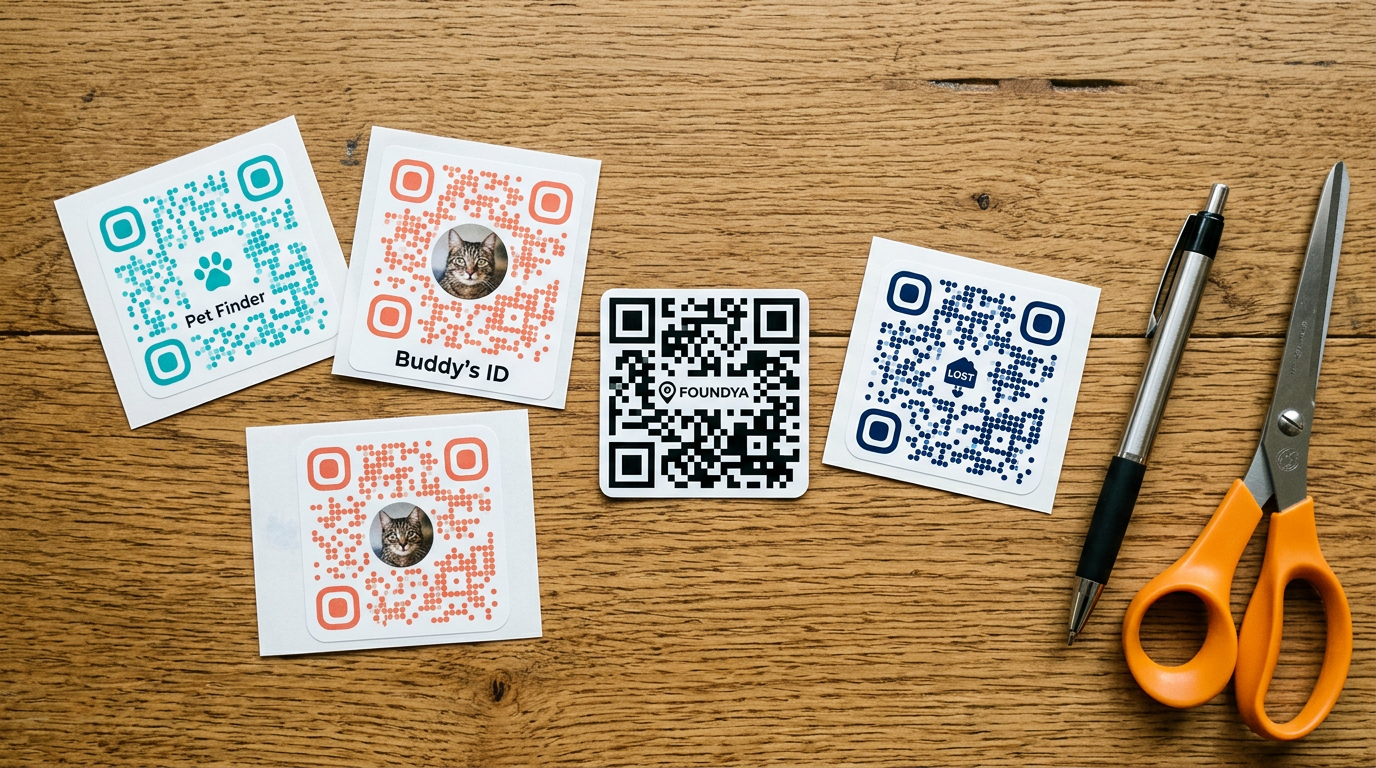
Plain black-and-white QR codes do the job, but they don't have to be boring. FoundYa's QR generator lets you customise your stickers so they actually look like they belong in your home - or on something you'd hand to a pet sitter without apologising for the aesthetic.
What you can customise
- Centre logo or icon - drop your pet's photo, a paw print, or the FoundYa logo into the middle of the QR code. It still scans perfectly - QR codes have built-in error correction that handles a centre graphic without breaking the link.
- Dot style - swap the standard square dots for rounded, dotted, or other patterns. A small change that makes the code feel more intentional and less like a shipping label.
- Colours - match your stickers to your pet's tag colour, your kitchen decor, or just pick something that doesn't look clinical. Dark colours on a light background scan best - avoid light-on-light or low-contrast combos.
Keep it scannable. The customisation tools preview scan reliability in real time, so you'll know before you print whether you've gone too far with the styling. When in doubt, higher contrast is always better.
Download or order
However you've styled your QR codes, you've got two paths to get them into the real world:
Print your own - download print-ready PDFs for stickers or business-card-sized pet cards. Use label paper for stickers (Avery sheets work well) or card stock for pet cards, or just print on regular paper and make do. Quick, free, and good enough for most situations.
Order from FoundYa - if you want something that looks and feels professional, order directly from us:
- Vinyl sticker packs - waterproof, UV-resistant, and properly die-cut. They won't peel, fade, or look tatty after a few weeks. A mix of sizes, printed with your custom QR designs.
- Pet card packs - business-card-sized cards on proper card stock, ready to hand out. Your pet's name, photo, and custom QR code. The kind of thing you'd actually want to give someone.
Both are printed with whatever colours, icons, and dot styles you picked in the generator, and shipped to your door.
Why QR stickers and NFC tags aren't competing
You might be wondering - didn't we write a whole post about why NFC beats QR for pet tags? We did, and we stand by it. NFC is the right tech for a tag that lives on your pet's collar. It's faster to scan, doesn't degrade, and works offline.
But QR stickers solve a different problem. You can't stick an NFC chip on a medicine jar and expect someone to know it's there. A printed QR code is visible, obvious, and familiar - everyone knows how to scan one. It's the right tool for static locations where you want to say "scan this for info."
NFC on the pet. QR everywhere else. They complement each other.
Tips for printing your own
If you're going the DIY route, a few things will save you a reprint:
- Generate your stickers from the FoundYa app - pick the activity each one links to, customise the style, and download the PDF
- Print on label paper if you want something that sticks cleanly (Avery labels work well), or just print on regular paper and use tape
- Size matters - print them at least 2.5 cm square so phone cameras can read them easily. Bigger is fine; smaller gets unreliable
- Laminate outdoor stickers - if you're putting one on a crate or kennel that lives outside, a bit of clear tape or lamination stops water damage. Or skip the hassle and order vinyl stickers instead - they're built for it
- Test before you stick - scan each sticker with your phone to make sure it links to the right place
QR codes on regular paper will fade in direct sunlight over time. For anything outdoors or in a window, either laminate the sticker, reprint it every few months, or order a vinyl sticker pack that's designed to last.
A few ideas you might not have thought of
Beyond the obvious spots, here are some places pet owners have told us they stick QR codes:
- Inside the pet's travel bag - links to the full profile for boarding staff or airline handlers
- On the back of a photo frame - the one on the mantelpiece with your dog's photo. If a house-sitter needs info, it's right there behind the frame.
- In the glovebox - a sticker that links to vet details and emergency info, for when you're at the park and your dog eats something they shouldn't
- In your wallet - keep a pet card on you. Handy for showing a vet or emergency clinic your pet's full history without fumbling through an app
Get started
If you've already got a FoundYa account, head to the app and open the QR generator. Pick your pet, choose the activity to link, customise the look, and either download the PDF to print at home or order vinyl sticker packs and pet cards shipped to you. If you're not set up yet, sign up and get your pet's profile sorted first - the whole thing takes a few minutes.
Already have your pet's profile dialled in? Make sure your household is set up properly so that carers and sitters see the right info when they scan.