Emergency Preparedness: Keeping Pets Safe in Natural Disasters
Every summer, the same stories come through. A family evacuates ahead of a bushfire and can't find the cat. A dog bolts during a storm surge and ends up three suburbs away. Floodwaters rise faster than expected and there's no time to grab the pet carrier.
Australia's natural disasters aren't hypothetical. Bushfires, floods, cyclones, and severe storms separate pets from their owners every single season. And the difference between a quick reunion and weeks of searching usually comes down to preparation you did - or didn't do - before the emergency started.
This isn't about fear-mongering. It's about practical steps you can take on a quiet Sunday afternoon that'll make a chaotic Wednesday night a lot more manageable.
Build a pet emergency kit
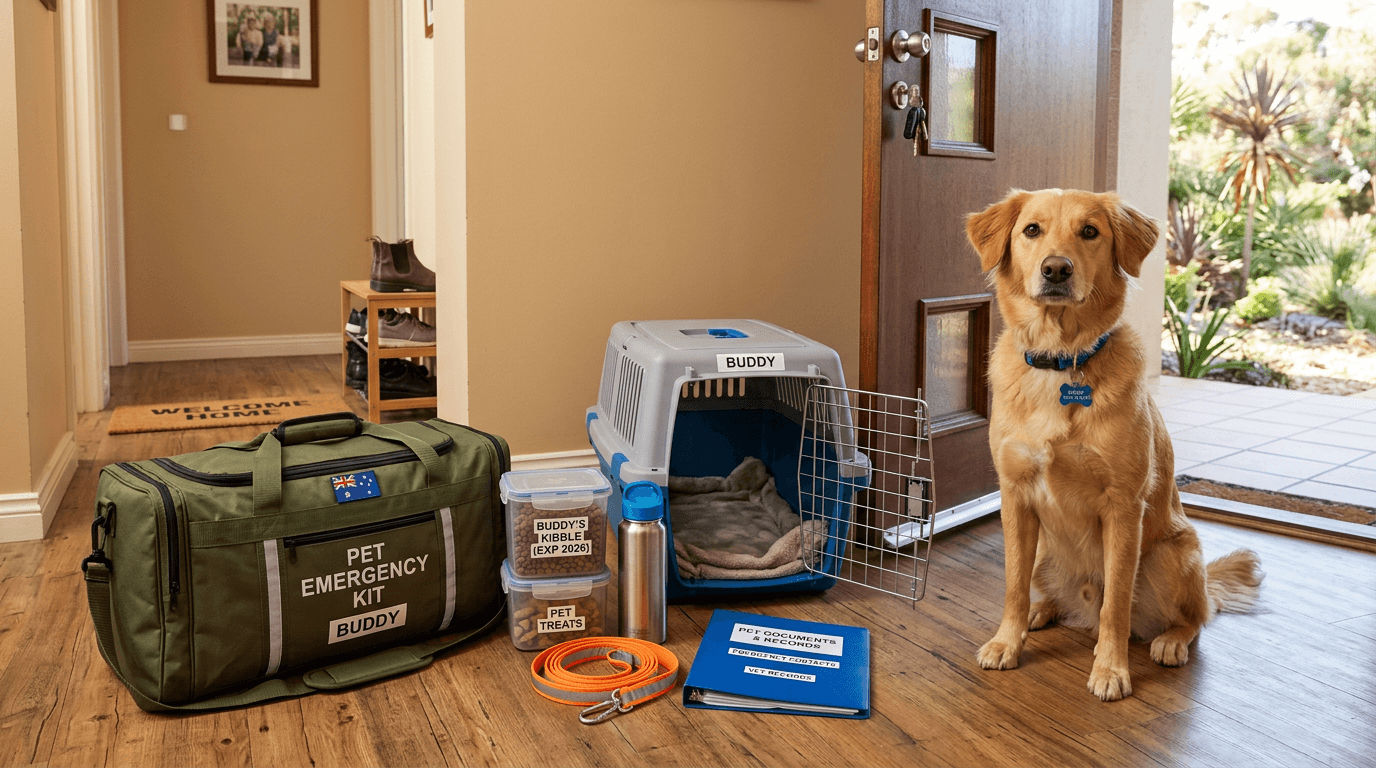
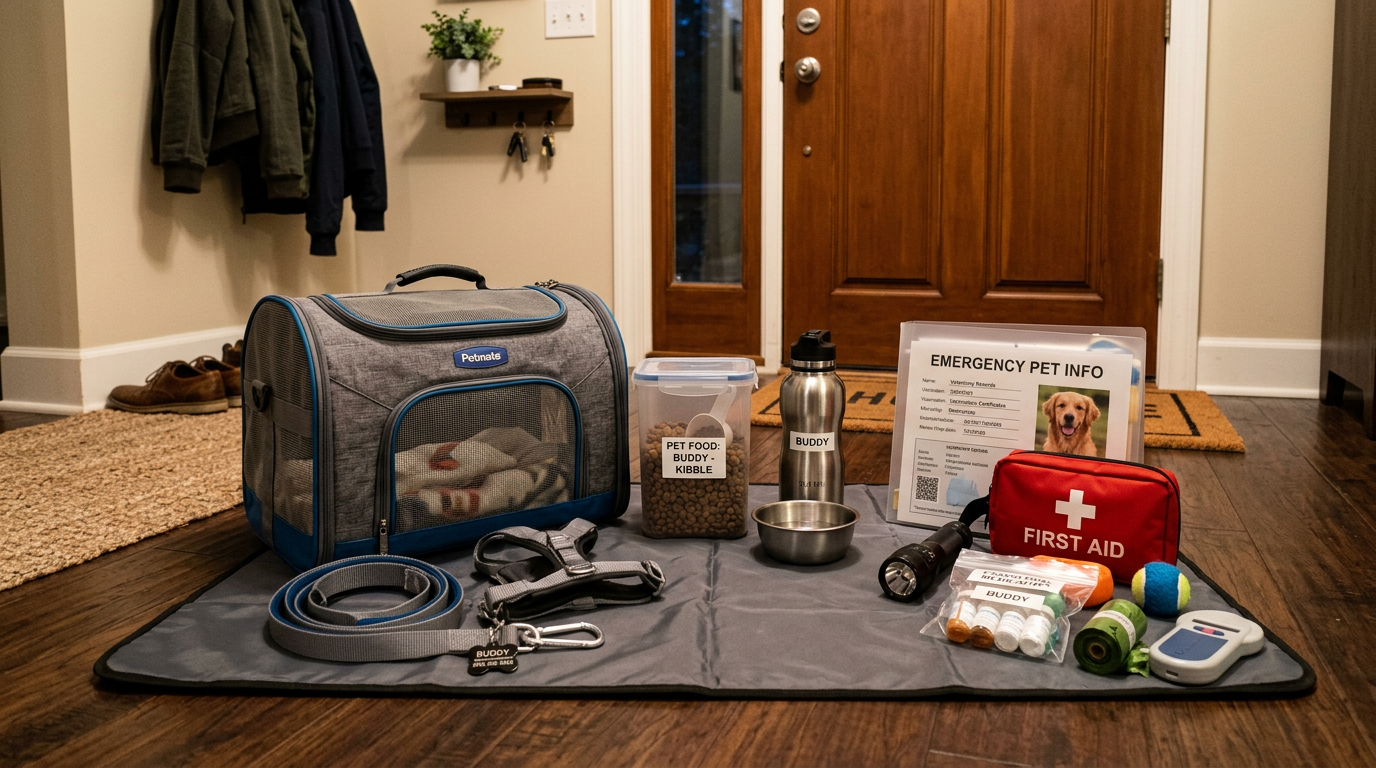
You probably have some kind of emergency kit for your family already. Your pet needs one too, and it should be ready to grab in under two minutes.
What goes in it
- Carrier or crate - big enough for your pet to stand, turn around, and lie down. If you have a cat, make sure the carrier door latches securely. Practice getting your pet into it before there's smoke on the horizon - a panicking cat and an unfamiliar carrier is a fight nobody wins.
- Three days of food and water - sealed, rotated every few months so it doesn't go stale. Include a collapsible bowl.
- Current medications - at least a week's supply if your pet takes daily medication. Include a written note of dosages and timing in case someone else needs to administer them.
- Copies of vet records - vaccination certificates, microchip number, any chronic condition documentation. Paper copies, because your phone might be dead.
- A recent photo - a clear, side-on photo printed out. Shelters and rescue organisations use these to match found pets. The photo on your phone is great until your phone is flat.
- Leash, harness, and collar - even if your pet doesn't normally wear a harness, have one in the kit. Stressed animals behave unpredictably, and a secure harness is far safer than a collar alone during an evacuation.
- A comfort item - a familiar blanket or toy. It sounds trivial, but a familiar scent can significantly reduce stress for a pet in an unfamiliar evacuation centre.
- Your pet's NFC tag - if it's not already on their collar, include a spare. More on why below.
Store the kit near your front door or in the car, not in the back of a cupboard. In an evacuation, you might have fifteen minutes. Don't spend ten of them looking for the cat carrier.
Evacuation planning
Having a kit is step one. Knowing where you're going and how you're getting there with your pet is step two.
Know your options before you need them
Not all evacuation centres accept animals. Find out now - not at 2am with embers falling - which centres in your area are pet-friendly. Your local council or state emergency service website usually has this information. Save it somewhere you can access offline.
If there are no pet-friendly centres nearby, identify alternatives: a friend or family member outside the risk zone, a boarding kennel that takes emergency placements, or a vet clinic that offers disaster boarding. Have at least two backup options - your first choice might be in the same evacuation zone as you.
Have a transport plan
Can you fit your pet's carrier in your car alongside everything else you need to take? If you have multiple pets, do you have enough carriers and space? If you don't drive, who's your backup - a neighbour, a friend, a rideshare with a pet-friendly policy?
Work this out now and have the conversation with whoever you're relying on. "Hey, if there's ever a bushfire evacuation, can I throw Biscuit in your car?" is an easy question to ask over a barbecue. It's a much harder one to ask when the sky is orange.
Practice the hard part
Getting a stressed cat into a carrier is a skill, and it's one you should practice when things are calm. Leave the carrier out in your living space so your cat gets used to it. Feed treats inside it occasionally. The goal is for the carrier to be a familiar, non-threatening object - not something that only appears when bad things are about to happen.
For dogs, practice loading them into the car with the lead and harness you'll use in an evacuation. Some dogs are brilliant in cars. Others need convincing. Better to discover that now.
Never leave your pet behind with the plan to "come back for them later." Evacuation roads can be closed behind you, and conditions can deteriorate faster than you expect. If you're leaving, they're leaving with you.
Update your pet's ID before fire season
This one's critical. If your pet's collar tag has your old address, your microchip registry has an outdated phone number, or your digital profile hasn't been updated since you moved, fix it now.
During a disaster, you might be displaced for days or weeks. Someone might find your pet in an evacuation area far from your home. The only thing connecting them back to you is the information on their tag and their microchip. If that information is wrong, the system breaks down at exactly the moment it matters most.
Digital vs paper records in an emergency
Paper records are great - until they're in a filing cabinet in a house that's just flooded. Or in a car you didn't have time to get to. Or in a bag you left behind when the evacuation order came through faster than expected.
A digital profile on an NFC tag sits on your pet's collar. It goes wherever they go. Anyone with a modern smartphone can tap the tag and instantly see your pet's name, your contact details, their medical history, their vet's information, and a way to message you. No app download needed.
And here's the part that matters in a disaster: FoundYa's hybrid NFC mode stores a vCard directly on the chip. That means even when mobile towers are down - which happens in bushfires, floods, and cyclones - the finder still gets your phone number from the tag itself. No internet required.
Think about that for a moment. A bushfire has knocked out power and mobile coverage across a region. Someone finds your dog at an evacuation point. They tap the tag. Even without a single bar of signal, they get your name, your phone number, and your email address from the chip. When coverage comes back, they can reach you immediately.
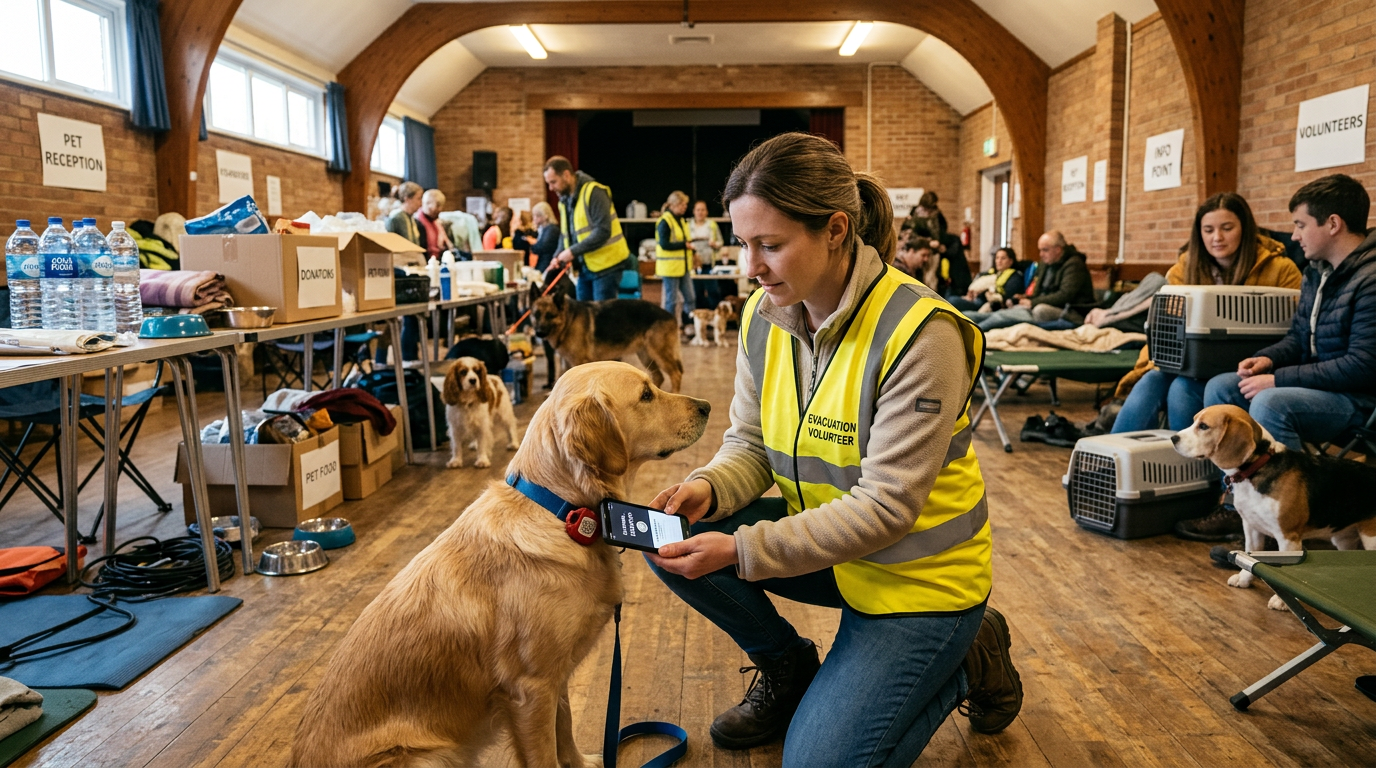
Your pet's entire medical history is available to any vet from a single tap too. If your pet needs emergency treatment at an unfamiliar clinic during a disaster, the vet doesn't have to guess about medications, allergies, or pre-existing conditions. It's all there.
You don't need to buy a specific tag for this. Any NFC chip works with FoundYa - including $2 stickers. The platform stores the profile. The chip just points to it (and caches a vCard for offline access). Here's how to get started.
After the disaster
The immediate danger has passed. Now comes the hard part - getting back to normal, and finding any pets that got separated during the chaos.
If your pet is with you
Update your location on their digital profile if you're staying somewhere temporary. If someone scans the tag, the profile should reflect where you actually are, not your home address in an area that might still be inaccessible.
Check your pet for injuries, even if they seem fine. Smoke inhalation, cut paws from debris, and stress-related illness can show up hours or days later. Get them to a vet when you can, and make sure the vet has access to their medical history - a FoundYa profile tap covers this.
If your pet is missing
Activate lost mode if you're using FoundYa. This sends a geo-targeted alert to Sentinels - community members who've opted in to help find missing pets in their area. During a disaster recovery, Sentinels in evacuation zones and surrounding areas become an extra set of eyes when you can't physically search yourself.
Update the last-seen location as new information comes in. If someone spotted your cat at a particular evacuation centre three days ago, update it - the alert adjusts to target people near that new location.
Contact your local disaster relief animal services too. Organisations like RSPCA, Animal Aid, and state-based emergency animal response teams coordinate pet reunification after major events. Register your pet as missing with every relevant organisation.
Check the tips for finding a lost pet - many of the same strategies apply, with the added complexity that your usual neighbourhood might be inaccessible.
Keep records of everything
Document any vet visits, treatments, and medications your pet receives during and after the disaster. This matters for insurance claims and for ongoing care. If you're using a digital profile, update the medical section as things happen so you have a timestamped record.
Prepare now, not later
Bushfire season has a start date. Your council publishes flood zone maps. Cyclone season in northern Australia runs November through April. None of this is a surprise.
The time to pack a pet emergency kit is on a boring Tuesday in winter, not when the RFS text message hits your phone. The time to update your pet's tag and microchip is today, not when you're loading the car.
Here's a ten-minute checklist you can do right now:
- Check your pet's collar tag - is the phone number and address current?
- Log into your microchip registry - update anything that's changed
- Update your digital profile - add current medications, vet details, and a recent photo
- Add your household members - so they get alerts and can update the profile too
- Know where your carrier is - and make sure your pet tolerates being in it
- Identify two pet-friendly evacuation options - save the details offline
That's it. Ten minutes now for a lot less chaos when it counts.
For a full guide on what details to include in your pet's profile, head over to What to Put on Your Pet's Digital Profile - it covers everything from medical info to behavioural notes that could help a finder or vet during an emergency.